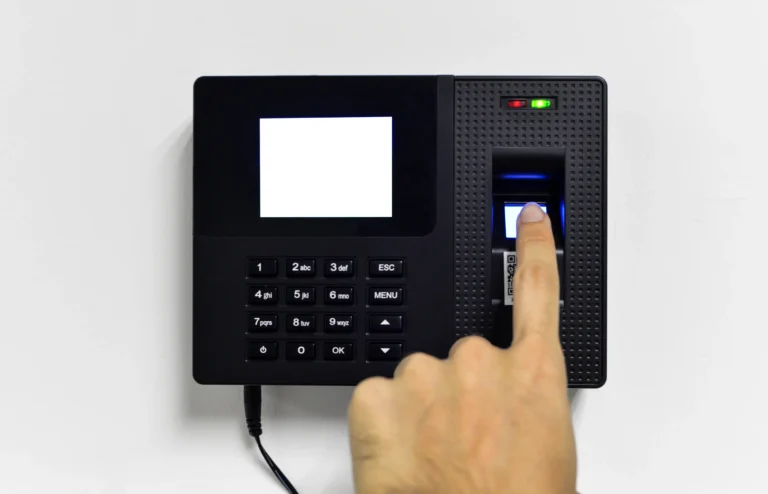
Some HR teams must resolve timesheet anomalies the night before payroll cut-off, with a spreadsheet open and a manager who isn't answering messages.

Resolve Timesheet Anomalies with Hurey

A missing OUT log here, an overtime entry with no approved request there, and a routine payroll run becomes an audit trail of guesswork. It’s tedious, expensive, and almost entirely preventable. Plenty of platforms detect exceptions. Fewer resolve them, and fewer still get the shift right before the math begins. By the second or third cycle you should see fewer payroll corrections, a cut-off week that ends on schedule, and overtime paid on verified hours.

If you’re evaluating a new HRIS, how it handles timesheet exceptions deserves more weight than it usually gets. Common timesheet anomalies pile up until payroll cut-off and make it harder for HR teams to validate data. Using an HRIS ensures that anomalies are managed through optimized detection programs. Taking it a step further, an AI-assisted HRIS makes it easier to track timesheet anomalies and validate proper scheduling.

Learn how Hurey’s AI-assisted Timesheet Anomaly Checker and Intelligent Scheduling engine can help you streamline your payroll process through this blog.

What Are Timesheet Anomalies?

A timesheet anomaly (or an attendance anomaly) is any time entry that doesn’t line up with what the record should look like: the employee’s actual shift, their approved requests, or your compliance rules.

Resolve Timesheet Anomalies with Hurey

Crucially, an anomaly is not automatically an error. An employee with logs during approved leave may have been called in; a rest day log may be legitimate overtime nobody filed. An anomaly is a signal to look, not a verdict. Treat every deviation as a violation and you bury your team in false positives; catch nothing and the cost lands downstream as payroll corrections and compliance exposure.

Common Timesheet Anomalies

Unfortunately, timesheet anomalies are not unheard of. They happen from time to time, especially with manual payroll processing. Here are some common timesheet anomalies HR teams experience:

Missing or Incomplete Logs

The most frequent offender is a missing or incomplete log — no logs for a working day, partial logs missing an IN or OUT time, or missing break records. Each gap forces someone to reconstruct hours from memory or email threads.

Schedule Mismatch

Logs falling outside the assigned shift can easily mess up the payroll process. A day-shift employee logging in during the afternoon or logs that follow an old schedule can cause last-minute adjustments just to reach the payroll cut-off.

Resolve Timesheet Anomalies with Hurey

Leave Conflicts

This runs both ways: an employee absent with no approved leave on file or leave approved but logs appearing anyway. Both need verification before payroll processes them.

Unapproved or Mismatched Overtime

Overtime logged with no approved OT request, or a request that doesn’t match the logged window. Unchecked, this is where labor cost creep and overtime compliance risk accumulate.

Offset and Schedule Change Misalignment

An offset approved for four hours but logs showing three. An offset applied that was never approved. A schedule change followed before approval landed. Offset hours must reconcile exactly, and small variances multiply across a headcount.

Incorrect Log Dates and Rest Day Overtime

Logs filed under the wrong date, cross-date issues on overnight shifts, and rest day logs with no approved requests are the hardest to catch manually. They reach payroll unnoticed and mess up the processing structure.

Why Schedule Detection Resolves Anomalies at the Source

Anomaly Detection

Nearly every attendance calculation depends on knowing the correct shift first. Late minutes, undertime, night differential, overtime thresholds, and rest day premiums are all measured against a shift. Compare logs to the wrong shift and every figure downstream inherits the error. Manual time and attendance tools measure against whatever schedule is assigned in the system, and assigned schedules go stale constantly. Employees rotate, coverage gets swapped on the day, a schedule change is approved in principle and filed a week later. The logs are correct; the reference point isn’t.

Hurey's AI-Assisted Timesheet Anomaly Checker

With the shift established, Hurey runs its Timesheet Anomaly Checker across every entry before it reaches payroll, testing three fronts: matching detected shifts, reconciling approval requests, and checking completeness of all logs. Every entry then lands in one of four statuses, so your team knows what needs attention:

  • Valid — Logs are complete, match the detected shift, and conflict with nothing. No action needed.
  • Needs Review — Something didn’t reconcile: a missing log, an unmatched shift, or a clash with an approved request. HR investigates.
  • Compliance Issue — The employee acted without an approved request. Follow up with the employee and manager.
  • Edge Case — Wrong dates, cross-date logs, or rest day work. Verify the logs and confirm any RD OT request exists.

To resolve timesheet anomalies upstream, future-dated timesheets are blocked outright, and OT filing carries validation that catches issues at submission rather than at cut-off. For what remains, the workflow is simple. HR runs checks each cut-off, approves requests promptly, files update log requests for incorrect entries, and documents findings.

Resolve Timesheet Anomalies with Hurey Today

Resolve Timesheet Anomalies with Hurey

Timesheet anomalies aren’t a sign of a careless workforce. They’re a sign that manual reconciliation doesn’t scale. More diligence won’t fix a cut-off week spent chasing missing logs. You need a system that identifies the right shift, flags the right entries, and says what to do next.

That’s what Hurey does. The Intelligent Schedule Detector establishes the shift actually worked before any calculation runs, so late minutes, undertime, and overtime are measured against reality. The AI-assisted Timesheet Anomaly Checker then reviews every entry against detected shifts, approved requests, and log completeness, and hands your team a prioritized worklist instead of a spreadsheet and a hunch.

Ready to review exceptions instead of hunting for them? Book a Hurey demo and see how HR teams resolve timesheet anomalies before they become payroll problems.

FAQs About How to Resolve Timesheet Anomalies with Hurey

How does Hurey know which shift an employee actually worked?

The Intelligent Schedule Detector matches time-in and time-out logs against your defined shift patterns and identifies the closest fit, including overnight shifts that cross dates. Detected shifts, not stale assignments, drive the calculations.

It means something in the entry didn’t reconcile, not that a mistake is confirmed. Treat it as a prompt for HR or the line manager to check the record before payroll picks it up.

Often not, since employees do get pulled in during approved leave. Confirm with the manager, then restore the leave credit or correct the logs.

Hurey validates OT at filing, so many mismatches never reach this point. For those that do, compare the request against the logged hours and file a correction.

What are you waiting for?

Share us on

Facebook
Twitter
LinkedIn
Hybrid Work Setup with HRIS

The most scalable HR and Payroll app in the Philippines

Terms of Use       Privacy Policy      Cookie Policy
©Hurey 2019
Powered by PABACUS